
Astrospheric Professional
Astrospheric Professional enables access to more features and tools for advanced observers and astrophotographers.
A subset of Astrospheric Professional is free for eligible astronomical clubs and societies. Learn more here.
It's easy to purchase a subscription in the Astrospheric app. You'll need to sign in first though.
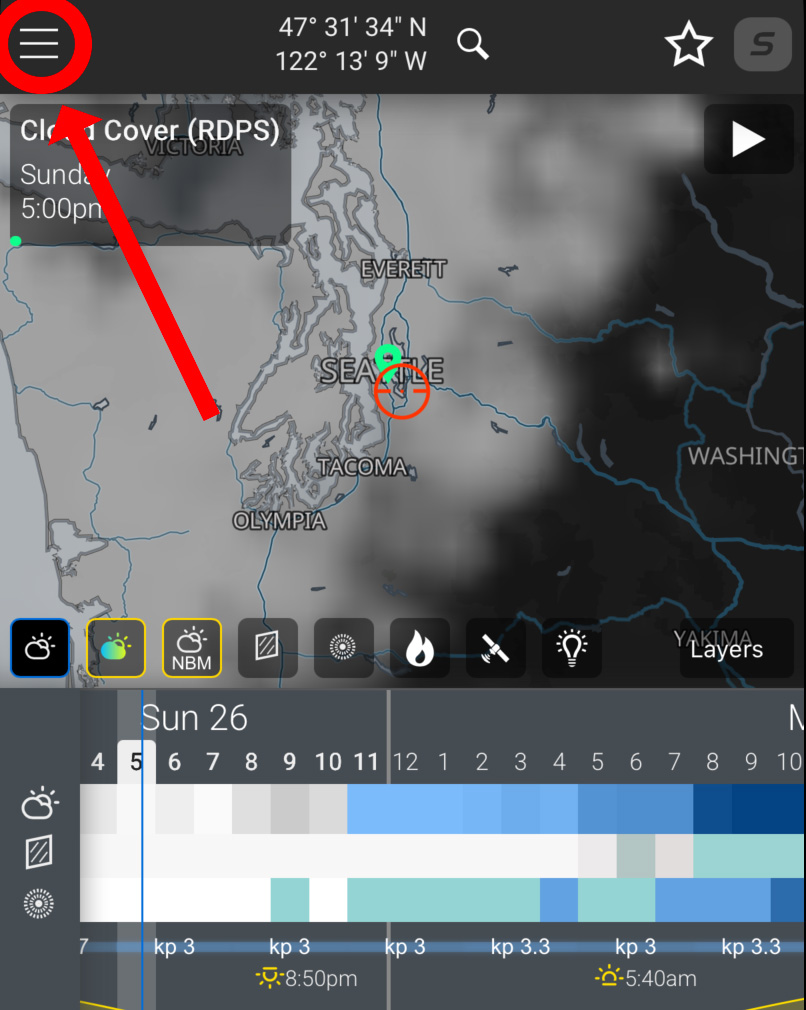
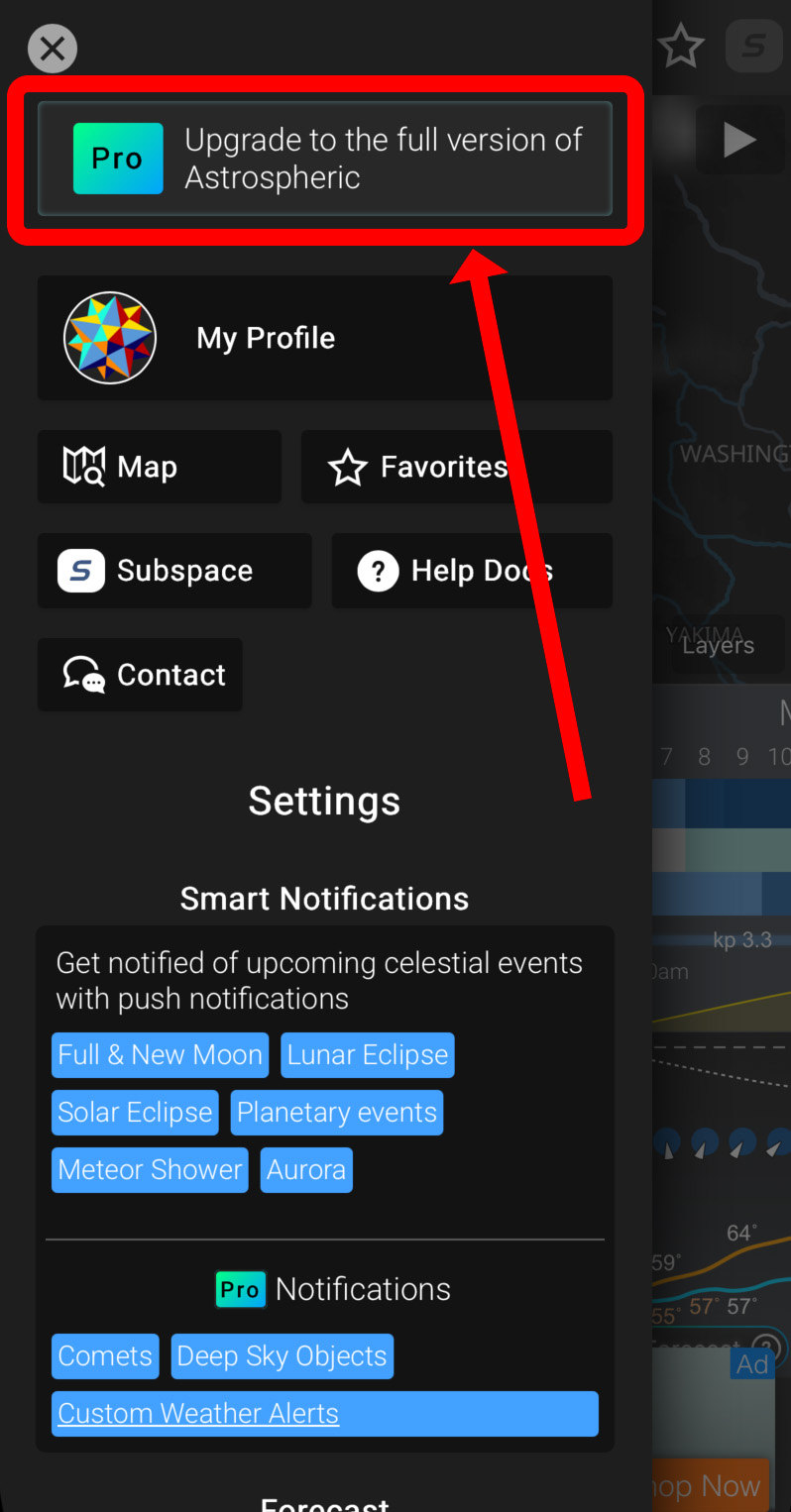
You'll then be presented with the Subscription Screen with purchase options to choose from.
In rare cases, such as if you've purchased an Astrospheric subscription outside of the app, you'll need to link the subscription to your Astrospheric account. To do this, open the Subscription Screen and tap the "Restore Subscription" button. This requires you to be signed into the Astrospheric app and must be done on the device which you originally purchased the subscription.
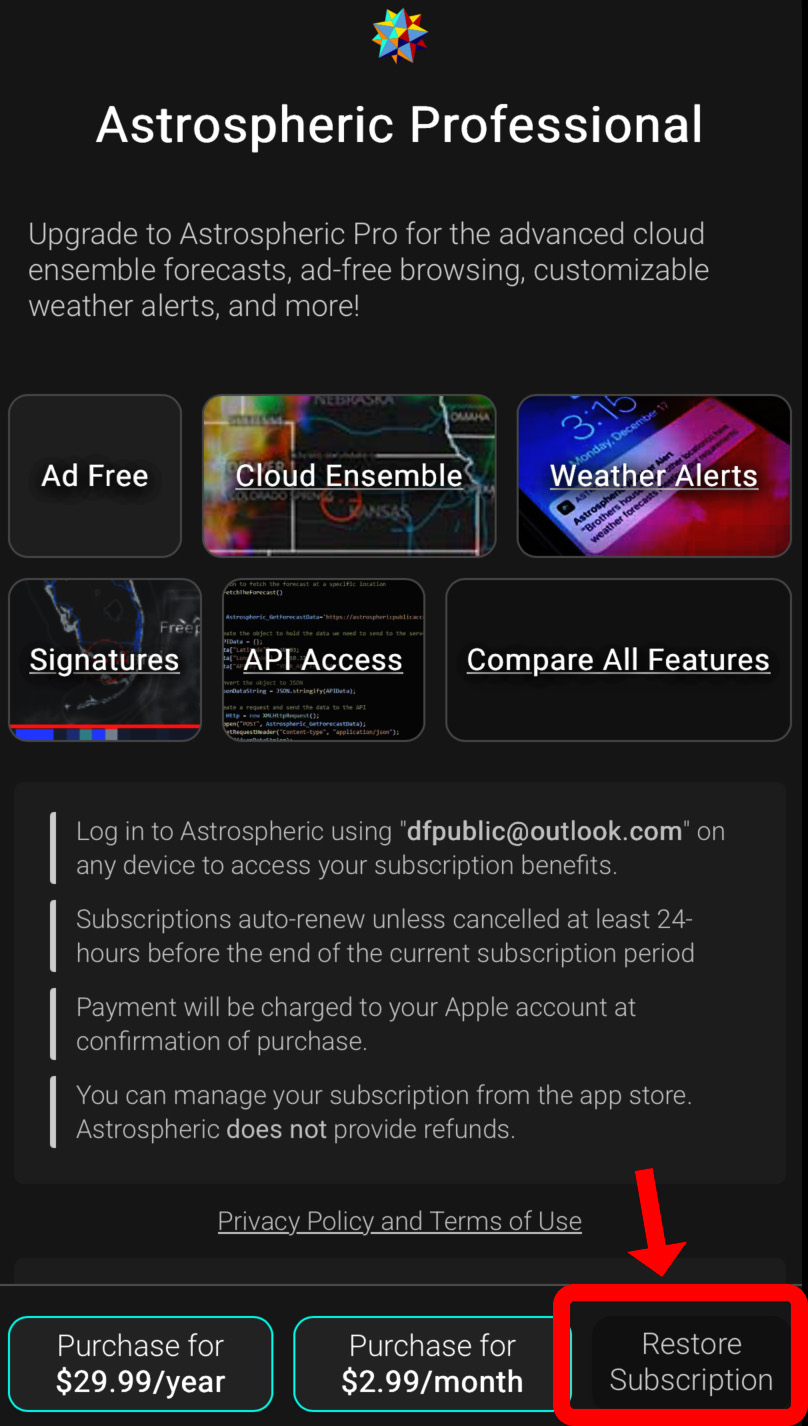
Please view the following for help on managing your subscription: Subscription Management and Refund Policy
Note that Astrospheric LLC does not manage subscriptions for any customer. It is up to the subscription holder to manage their own subscription and understand the privacy and terms of use agreed to when purchasing a subscription.